Disk cleaner for Windows 10 and 11
Measured,
not claimed.
See every file on your disk, and what removing it really gives back.
Nothing is deleted unless you ask for it by name.
Steam creates its download targets at full size before writing a byte into them. Every cleaner that sums file sizes promises you the first number.

The error
The number every cleaner shows you is not the one you get back.
It sums file sizes and calls that your saving. Two directories, measured on one real disk, before and after.
Library caches, 24 backups
Under-reported by 2 GB
The error runs in both directions, which is why you cannot correct for it by being suspicious of large numbers. Why Windows shows two figures for one file.
The four tiers
“Is this safe to delete?” is the wrong question.
Almost everything technically is. What decides anything is what it costs to get back.
Nothing references it. Removing it costs nothing at all.
Temp files, crash dumps, finished update payloads.
Restored by recomputing it. Costs CPU time, sometimes a lot.
Package caches, shader caches, build output.
Not reproducible. Never selected for you.
Disc images, installers, backups, exports, mods.
The default, and where anything unrecognised lands.
System files, projects, saves, credentials, software.
Why an unknown directory is always “leave alone”
A classifier that guesses “probably junk” about unfamiliar paths eventually meets somebody's irreplaceable folder and is confidently wrong about it. Being useless about an unknown directory costs nothing. Being wrong costs everything.
The same folder can also land in different tiers depending on where it sits. A Unity
Library in the project you are working on costs a full reimport to
rebuild. The byte-identical folder inside a dated backup costs nothing, because that
rebuild only ever happens if you open that backup again.
Evidence
It proves rather than pattern matches.
Both of these are called Library. Only one of them is a cache.
And it refuses rather than guesses
If a detector cannot gather complete information it aborts and says so, instead of returning a partial answer. That matters most in the Windows Installer cache, where a package is proven unreferenced by reading the registry: if any branch of that registry is unreadable, every package it referenced would look orphaned. Reporting those as garbage would break nothing today, which is the worst part, because the damage only surfaces months later when a repair asks for an installation source that no longer exists.
Neither Disk Cleanup nor Storage Sense touches that directory, which is why it reaches the sizes it does — what is in the Windows Installer folder, and what is safe to remove.
The scan
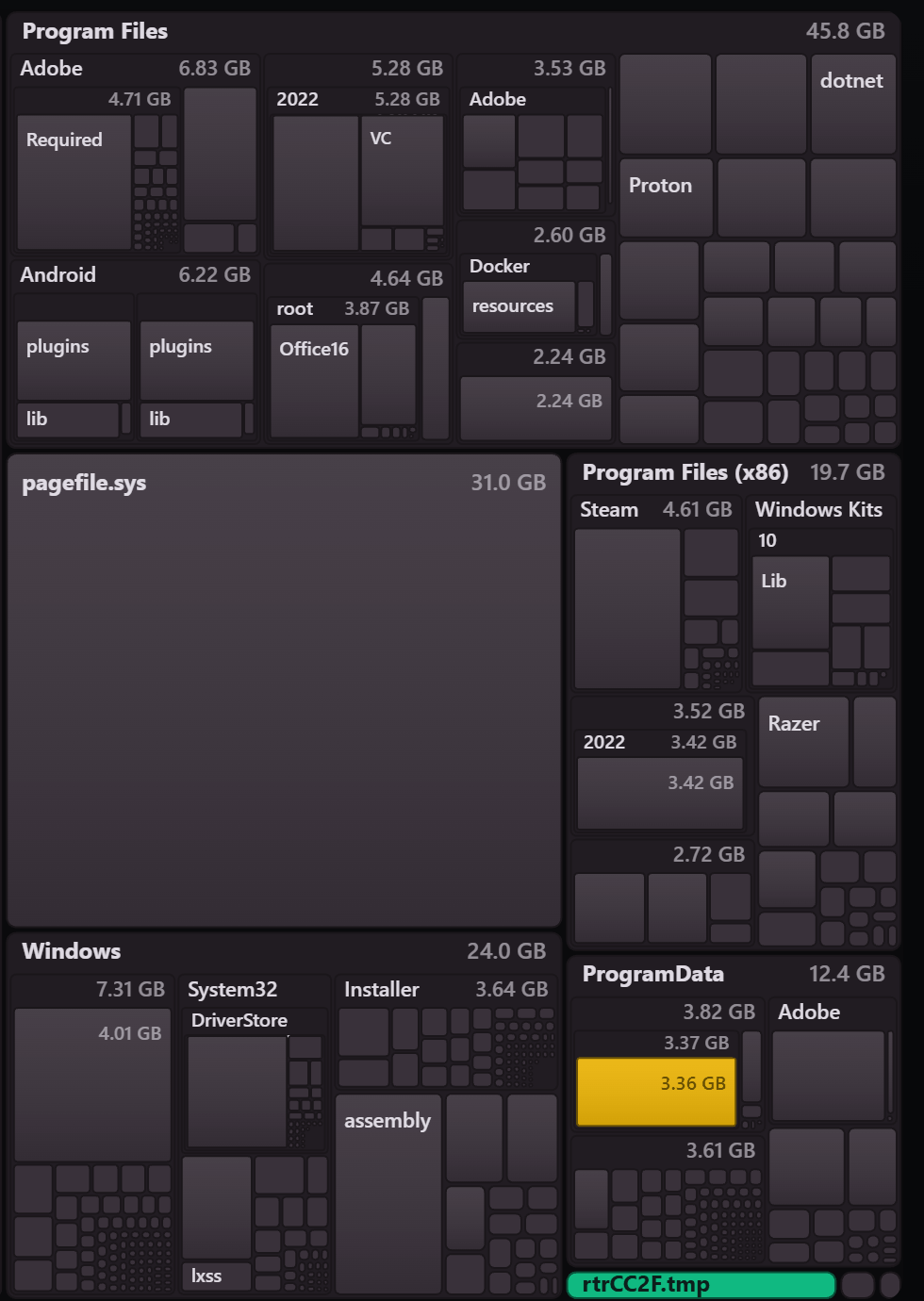
It maps the whole disk, not just what it recognised.
2.7 million records on one real drive. Same answer, two ways of getting it.
Drawn to scale, played at 60×.
Run it as administrator if you can. Without those rights it falls back to walking directories: identical numbers, minutes instead of seconds. The application says which of the two produced what you are looking at.
Every folder is drawn at the size it actually occupies and coloured by the decision it asks of you, so the parts worth acting on are the ones that are large and not grey.
Undo
Quarantine is the default, not a setting.
Selected items are moved aside on the same volume — a rename, not a copy — and a manifest records where each one came from.
<drive>\.reclaim-quarantine\ with a JSON manifest.
No click takes the whole disk. The findings list has no select-all. Open one finding and its paths arrive ticked, and you can flip them all at once — but the list you are agreeing to is the one in front of you. In Yours, your call, nothing is ticked at all.
Download
Windows 10 or 11, x64. Free for personal use.
Portable ZIP
Unpack it and run reclaim.exe. Nothing is installed, nothing touches the
registry, and deleting the folder removes every trace.
MSI installer
An ordinary Windows install with a Start menu entry. Installs for all users, so Windows asks for administrator rights during setup, and it is the only one of the two that can update itself.
Get the installerWindows will warn you, and it is right to
SmartScreen will say the publisher is unrecognised. That is true, and it is about the absence of a code signing certificate rather than about anything found inside the file. Click More info, then Run anyway — or check the SHA-256 published beside every release first.
This is v0.1, and here is what that means
Windows only, and it does the scan, quarantine and restore loop. It has been used to clear a little under 600 GB from one real machine, which is exactly one machine, so treat a surprising result as worth reporting rather than as gospel — particularly a case where Reclaim's number disagreed with what your disk actually did. Open an issue; the useful ones say which drive, what Reclaim claimed, and what actually happened.
Using it at work
Personal use is free forever. A company needs a licence.
That is the whole business model, and it is why personal use can stay free. Schools, charities, research and government are free too. Everyone else: tell us how many machines and what you need it for.
Questions
The reasons not to install this.
Why does a disk cleaner show a different number than the space I actually get back?
Because it sums file sizes, and that is not what the volume gives back. A sparse file
is created at full size before anything is written into it, so it reads large and frees
little: Steam's download staging claimed 61.4 GB and returned 22.1 GB. Cluster slack
runs the other way, because every small file rounds up to the next cluster: 24 Unity
Library caches claimed 93.3 GB and returned 95.3 GB. The error runs in
both directions, so you cannot correct for it by being suspicious of large numbers.
Can I delete the C:\Windows\Installer folder?
Not wholesale. It holds the .msi and .msp packages Windows
needs to repair, update and uninstall software, and deleting a package that is still
referenced breaks those operations later rather than now. Individual orphaned packages
can be removed, but only once they are proven unreferenced against the installer
registry. Reclaim does that proof, and aborts with a reason rather than reporting a
partial answer if any part of the registry is unreadable.
Does Disk Cleanup or Storage Sense clear the Windows Installer folder?
No. Neither touches that directory, which is why it can reach tens of gigabytes on a machine whose owner has run every built-in cleaner Windows offers.
Does Reclaim delete anything on its own?
No. Nothing is deleted unless you ask for it by name. What you select is moved aside on the same volume, which makes it a rename rather than a copy, and a manifest is written beside it recording where each item came from. Restoring is a button in the application, and the manifest is plain JSON so you can do it by hand. Permanent deletion exists and has to be asked for separately.
Does Reclaim need administrator rights?
It runs without them, but it is much slower. With administrator rights it reads the NTFS file table directly, which took 4.4 seconds for 2.7 million records on a real drive. Without them it falls back to walking directories, which took 220 seconds on the same drive for the same answer. The application says which of the two produced the result you are looking at.
Is Reclaim free?
Free for personal use under the PolyForm Noncommercial licence, and free for schools, charities, research and government. Using it at a company needs a licence.